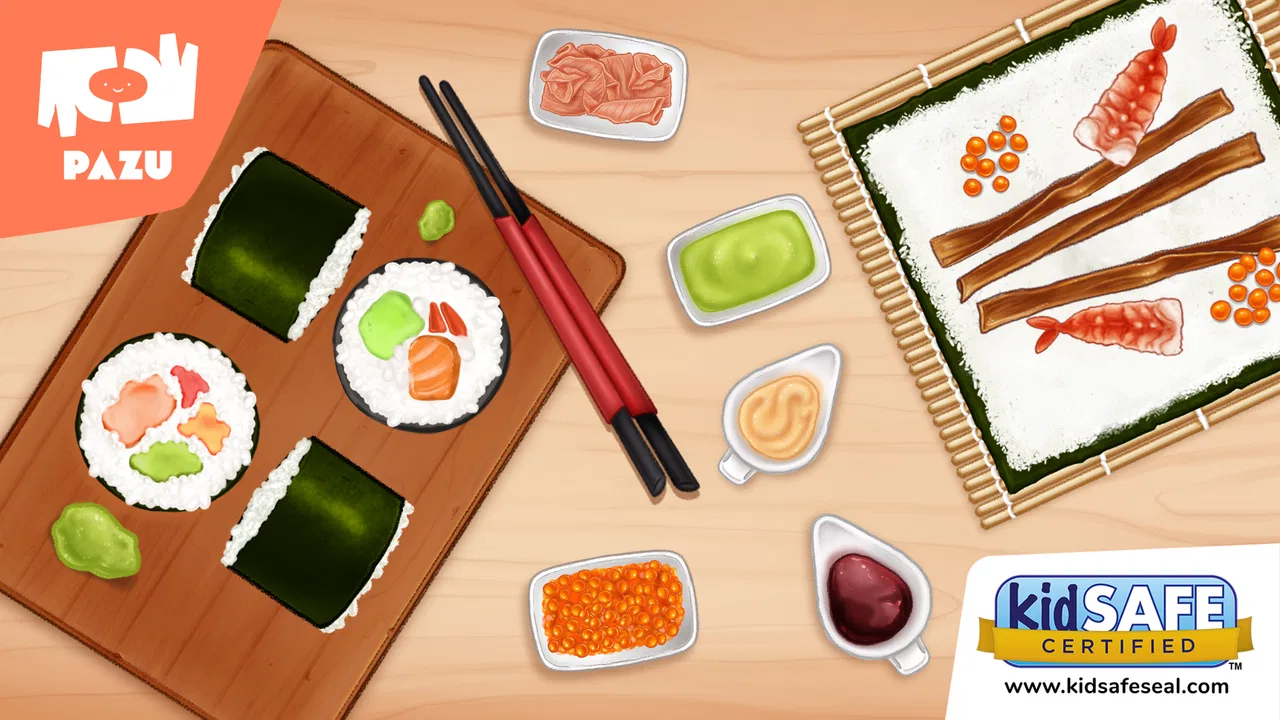
Sushi Maker Kids Cooking Games
- 4.7
- Rating
- 10.00M
- Installs
- Free
- Price

 Analysis by App-foxy
I approached Sushi Maker Kids Cooking Games as a parent-friendly role-playing game rather than as a serious cooking simulator. That distinction matters. Its appeal is not about mastering realistic knife work or managing a complicated restaurant economy; it is about turning sushi preparation into a cheerful, accessible activity that children can understand quickly. After spending time with it, I see a game designed for short, relaxed sessions, especially when a child wants to make something on screen without facing difficult rules or pressure.
The game comes from Pazu Games and is free to start, with optional in-app purchases ranging from $9.99 to $59.99 per item. It is rated for Everyone, runs on Android devices using at least version 6.0, and its current version is 1.20. Those details make it easy to consider for a family device, although the purchase options are important to keep in mind before handing a child the phone or tablet.
What to consider before choosing this cooking game
The first question is what you want from a children’s cooking app. If you are looking for a quiet activity with simple interaction, a playful theme, and no need for advanced reading or gaming experience, this one makes sense. If you want realistic recipes, deep restaurant management, or a game that remains challenging for older children, you may quickly find it too light.
You May Also Like

 Blood Strike: 2.5 Anniversary
Blood Strike’s Loadouts Turn Every Drop Into a Tactical Gamble
A close look at Blood Strike’s custom loadouts: how fast access to signature weapons reshapes its battle royale rhythm, rewards preparation, and narrows the gap between fights.

 Pandora - Music & Podcasts
Pandora’s Music Is Easy to Start, but Harder to Recover
Pandora’s strength is its low-effort path from a seed to a station. Its weak spot is how much confidence it asks you to place in connection, setup, and quiet recovery.

 8 Ball Pool
 Is Built on Rivalries, Rematches, and Routine
A close look at the rivalries, rematches, shared routines, and unanswered safety questions that turn a quick pool match into a persistent mobile community.

 Samsung Music
’s Quiet Strength Is Playing What You Already Own
Its reach comes less from spectacle than from dependable access to a personal library. That simplicity is both the app’s strongest retention engine and its ceiling.

 AccuWeather: Weather Radar
AccuWeather Review: A Quick, Clear Forecast for Everyday Decisions
For everyday plans, the best forecast is the one you can understand quickly. AccuWeather makes rain timing, radar, and local conditions easy to act on, with a few trade-offs.

 Hill Climb Racing
Why Hill Climb Racing Still Turns Crashes Into One More Run
A tiny car, a bumpy hill and one more upgrade: Hill Climb Racing keeps resurfacing because its simple chaos makes every near-miss feel personal.
More From Our News Desk
View All News


In my experience, the best way to judge it is by considering three things: how independently a child can play, how long the activity stays interesting, and whether the family is comfortable with optional purchases. The game’s basic idea is immediately understandable: prepare sushi in a colorful kitchen setting. That clarity is one of its strongest qualities because a child does not need a long explanation before starting.
The role-playing label is also useful here. I would not compare the experience directly with large adventure role-playing games. There is no reason to expect a long story, complex character development, or strategic battles. Instead, the role is the fun of acting like a sushi maker and running a small food activity. For younger players, that imaginative framing can be more valuable than a demanding progression system.
The game is especially suitable for children who enjoy pretend play. A child can approach it as a miniature restaurant routine: choose what to prepare, work through the food-making activity, and enjoy the result. That kind of structure gives the session a beginning and an end without requiring the player to win against someone else.
It is also worth thinking about the device itself. Cooking games depend heavily on touch interaction, so a larger tablet screen may be more comfortable than a small phone. On a tablet, children have more room to see the food and touch the relevant areas without accidentally pressing elsewhere. On a phone, the game can still work as a quick distraction, but the smaller display may make the experience less comfortable for very young hands.
Why the simple format works well for younger players
The biggest strength is the low barrier to entry. A child who is not familiar with conventional game controls can usually understand a food-making activity more easily than a platform game with timing, movement, and failure states. That makes it a practical choice for a first game, a waiting-room activity, or a calm moment before bedtime, provided screen use fits your family routine.
I also like the way the sushi theme gives the game a clear identity. Many children’s cooking games use broad kitchen ideas, but sushi provides a recognizable focus. The food itself becomes part of the pretend-play appeal, and the visual style supports the cute, kawaii direction without making the subject feel complicated.
For a child who enjoys repeating a familiar activity, that simplicity can be a feature rather than a weakness. The game does not demand that every session become more difficult. A player can return to the same kind of food-making fantasy because the enjoyment comes from performing the activity, not only from unlocking a demanding objective.
There is also a useful social angle for parents. I can imagine sitting beside a child and talking about ingredients, shapes, colors, or the order of preparing food. The game can become a starting point for conversation instead of being only a silent screen activity. It might even encourage a child to show interest in sushi as a real food, although I would treat that as a possible bonus rather than a guaranteed educational outcome.
One practical tip is to let the child explain the process back to you. Rather than taking over the controls, ask what they are making and what they think should happen next. This turns a short game session into a small storytelling exercise and helps reveal whether the child understands the interactions or is simply tapping randomly.
Where it is stronger than more demanding alternatives
Compared with action-heavy role-playing games, this title wins on accessibility. There is no need to learn movement combinations, manage combat, or remember a large map. For families trying to avoid stressful play, that difference is meaningful. The game’s food theme also feels more focused than a broad virtual-world experience, where a child may spend time wandering without knowing what to do.
Compared with realistic cooking simulators, it is likely to be more welcoming to younger players because the emphasis is on playful preparation rather than precision. Realistic alternatives can be satisfying for older children who enjoy following instructions, but they may feel like work to a child who simply wants to make something colorful and fun.
It can also be a better fit than competitive games when the goal is a peaceful shared activity. There is no need to compare scores with friends or worry about losing to another player. That does not mean every child will prefer it, but it gives parents a clear reason to choose it during quiet periods.
The game’s popularity gives some context without deciding the question for you. It has passed 10 million installs and holds a 4.5 average from around 27 thousand ratings. I read that as evidence that the concept has broad appeal, not as proof that it will suit every child. A popular children’s game can still feel repetitive to a player who wants constant novelty.
Small workflows that make the experience more useful
One of the better ways to use this game is as a short transition activity. For example, after returning home from school, a child might play one food-making session while a parent prepares a snack. The activity has a clear theme and does not require the adult to explain a complicated objective. Once the real-world task is finished, the child can put the device away without feeling that they have abandoned a long campaign.
Another useful approach is to play together during the first session. Watch which parts the child understands immediately and where they need help. If the controls are intuitive, you can step back quickly. If the child keeps tapping every part of the screen, that may indicate the game is better suited to guided play at first rather than completely independent use.
I would also use the game as a comparison tool for real food conversations. You could ask a child how the on-screen sushi differs from food at a restaurant, what fillings they would choose, or how they would design a menu. The important point is not to claim that the game teaches cooking technique. Its value is in encouraging imagination and discussion around a familiar food theme.
A third tip is to set a purchase boundary before play begins. Since optional items can cost from $9.99 to $59.99 each, I would not leave the decision to a child who is still learning the difference between playing and buying. A parent should review the device’s purchase controls and explain that tapping a colorful option does not automatically mean it is available. This is less about the game’s cooking activity and more about creating a comfortable family routine around free-to-start apps.
Where another type of game may fit better
This is not the right choice for every young player. Children who quickly lose interest in repetition may want a game with exploration, puzzles, construction, or a stronger sense of progression. A cooking game centered on one food theme can feel narrow if the child expects many locations, characters, or challenges.
It may also disappoint children who want to learn genuine kitchen skills. The playful format should not be confused with a recipe guide or a substitute for supervised cooking. If your goal is to teach measuring, food safety, timing, or real preparation methods, a recipe-focused app or an adult-led kitchen activity would be a better fit.
Older children may prefer a restaurant-management game with planning, budgets, customer satisfaction, and more complex decisions. I would choose that category when the child specifically enjoys strategy and wants consequences for each choice. This game is more appropriate when the priority is ease and creativity rather than a detailed simulation.
Families seeking a completely purchase-free experience should also think carefully. The game itself is free, which makes trying it straightforward, but the presence of optional purchases changes how I would introduce it. If your household avoids games with paid extras altogether, a one-time purchase title may be a more comfortable alternative, even if it costs money at the beginning.
What the free entry means in everyday use
Being free makes it easier to test the game without committing immediately. I would use that opportunity to see whether the child enjoys the sushi theme, understands the touch controls, and returns to the activity willingly. That trial period is more informative than the store summary because children vary widely in how long they remain interested in simple role-play.
The trade-off is that free entry does not necessarily mean the whole experience is free of spending decisions. The optional purchase range is wide enough that parents should treat this as a game requiring ordinary app-store supervision. I would set expectations before the first session, especially on a shared device where a child might already know how to navigate menus.
There is also a cost of switching between categories. If you begin with this game and later move to a more complex cooking title, the child may need to learn new controls and accept more rules. That is not a serious problem, but it is worth recognizing that the gentle simplicity here is part of the product’s identity. Moving to a realistic simulator may add depth while removing some of the immediate comfort.
On the other hand, switching away may be sensible when the child repeatedly asks for more variety. If they want different cuisines, longer goals, or meaningful management choices, continuing to reinstall similar simple cooking games may not solve the underlying issue. In that situation, I would move to a broader category rather than expecting this sushi-focused experience to become something it is not.
Who should install it, and who should skip it
I would recommend it to parents looking for a gentle, colorful cooking activity for a young child who enjoys pretend play. It is a particularly sensible option for short sessions, shared tablet use, and children who are still developing confidence with touch-based games. The Everyone rating also makes its age positioning clear, although parents should still decide whether the style and pace suit their individual child.
I would be more cautious for children who need constant challenge. If a player becomes bored unless there are new levels, difficult objectives, or a competitive goal, this may provide only brief entertainment. Likewise, it is not my first recommendation for a child who wants to understand how sushi is actually prepared.
The developer, Pazu Games, has positioned the title within a recognizable family of children’s games, and the audience response suggests that many families find the approach appealing. With more than 400 written reviews alongside its broad rating base, there is enough public interest to make it worth trying, but I would still judge it by your child’s behavior rather than by popularity alone.
For Android users, the minimum operating-system requirement is Android 6.0, so the game is accessible on a range of older devices as well as newer ones. I would still check the device before planning a long session, particularly if the phone has limited storage or an older screen that makes touch controls awkward. The current version is 1.20, which is the version I would look for when deciding whether the installed copy is up to date.
My recommendation after using it
My overall view is positive, with a clear qualification: this is a playful sushi-making activity, not a deep cooking simulation. That focus helps it succeed with younger players who want immediate interaction and imaginative food play. It also explains why some older children may move on quickly.
I would start with the free version, play alongside the child once, and watch whether the game remains interesting after the novelty of sushi wears off. Before doing that, I would make sure purchase controls are set appropriately. If the child enjoys repeating the preparation routine and likes explaining their creations, the game has found its audience.
If you want a low-pressure role-playing game with a cute food theme, this is an easy recommendation. If you want realistic recipes, serious progression, or a completely purchase-free environment, I would choose a different category instead. In my view, the decision is simple: choose it for accessible pretend cooking and short family-friendly sessions, but do not expect it to grow into a full restaurant-management game.
That honest limitation is also its main strength. By keeping the idea focused, Sushi Maker Kids Cooking Games avoids overwhelming young players and gives them a clear activity they can understand quickly. For the right child, that is enough to make it a worthwhile free download; for a child seeking depth, it is better treated as a pleasant introduction rather than a long-term main game.
FAQs for Sushi Maker Kids Cooking Games
01What is Sushi Maker Kids Cooking Games about?
Sushi Maker Kids Cooking Games is an interactive app designed for children to explore the world of sushi making. It offers a fun and educational experience where kids can learn to prepare various types of sushi using virtual ingredients. The game is packed with vibrant graphics and easy-to-follow instructions, perfect for young chefs.
02Is Sushi Maker Kids Cooking Games safe for children?
Yes, Sushi Maker Kids Cooking Games is designed with child safety in mind. It features a child-friendly interface, free from inappropriate content. The app also includes parental controls to manage in-app purchases and ads, ensuring a safe and enjoyable experience for your child.
03Does Sushi Maker Kids Cooking Games offer educational value?
Absolutely. The game not only entertains but also educates children about different sushi ingredients and preparation techniques. It encourages creativity and fine motor skills as kids assemble their sushi creations. It's a great way to introduce kids to cooking concepts and cultural cuisine in a playful manner.
04Are there in-app purchases in Sushi Maker Kids Cooking Games?
Yes, the app includes optional in-app purchases that allow users to unlock additional content and features. However, these are not necessary to enjoy the game. Parents can control or disable these purchases through their device settings to prevent unauthorized transactions.
05What platforms is Sushi Maker Kids Cooking Games available on?
Sushi Maker Kids Cooking Games is available for both Android and iOS devices. You can download it from the Google Play Store or the Apple App Store. The app is optimized for a wide range of devices, ensuring smooth gameplay and an engaging experience for children.
Pros
- Engaging and colorful graphics.
- Easy-to-follow cooking instructions.
- Encourages creativity in kids.
- Wide variety of sushi recipes.
- User-friendly interface for all ages.
Cons
- Limited free content options.
- Contains in-app purchases.
- Ads can be distracting.
- No multiplayer mode available.
- Requires internet for some features.

Sushi Maker Kids Cooking Games
Gallery